
[error.log] jekyll serve - webrick file 오류
태그: Blog, error.log, Github, jekyll, webrick
카테고리: error.log
jekyll webrick 오류
깃헙 블로그에 jekyll 테마를 설치하다 보면 수많은 종류의 오류들과 마주하게 된다.
그중 하나인 cannot load such file – webrick (LoadError) 에 대해 다뤄보고자 한다.
어떻게 마주하게 되는가?
bundle exec jekyll serve 명령어는 bundle install을 진행한 후 로컬에서 잘 됐는지 확인할 때 쓴다.
하지만 이 bundle exec jekyll serve를 사용했을 때 간혹 이런 오류를 접하게 된다.
1
2
3
4
5
6
7
8
9
10
11
12
13
14
15
16
17
18
19
20
21
22
23
24
25
// siri-syl은 내 깃헙 계정이다
// l_siri는 내 맥북 컴퓨터 이름이다.
✘ ~/mialee-luvcat.github.io master ± bundle exec jekyll serve
Configuration file: /Users/l_siri/mialee-luvcat.github.io/_config.yml
Source: /Users/l_siri/mialee-luvcat.github.io
Destination: /Users/l_siri/mialee-luvcat.github.io/_site
Incremental build: disabled. Enable with --incremental
Generating...
Jekyll Feed: Generating feed for posts
Build Warning: Layout 'page' requested in about.markdown does not exist.
Conflict: The following destination is shared by multiple files.
The written file may end up with unexpected contents.
/Users/l_siri/mialee-luvcat.github.io/_site/index.html
- index.html
- index.markdown
done in 1.531 seconds.
Auto-regeneration: enabled for '/Users/l_siri/mialee-luvcat.github.io'
------------------------------------------------
Jekyll 4.2.1 Please append `--trace` to the `serve` command
for any additional information or backtrace.
------------------------------------------------
/Users/l_siri/.rbenv/versions/3.0.2/lib/ruby/gems/3.0.0/gems/jekyll-4.2.1/lib/jekyll/commands/serve/servlet.rb:3:in `require': cannot load such file -- webrick (LoadError)
이미지의 경우
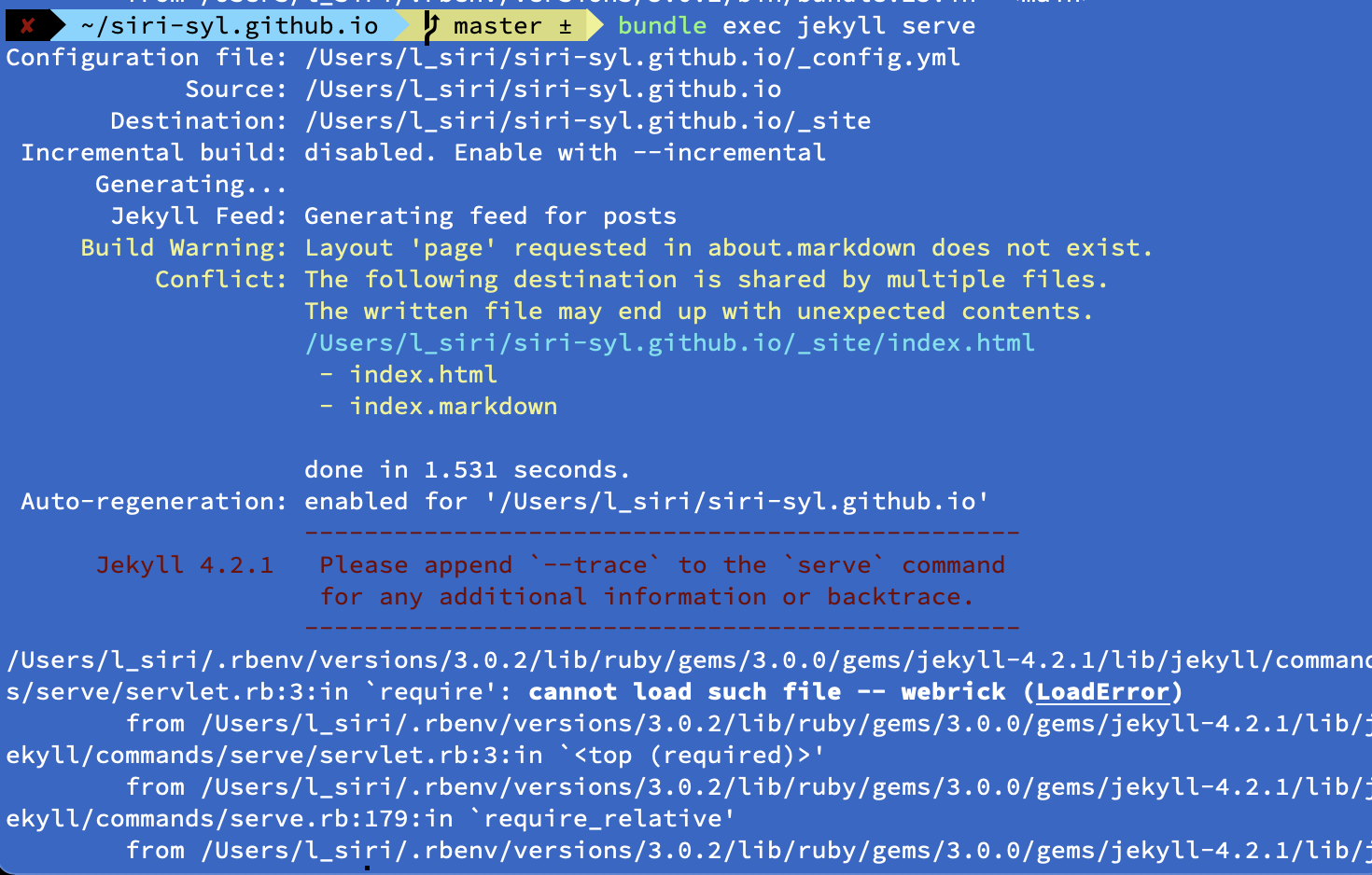
이런 경우 이미지의 빨갛게 되어 있는 문장은 뒤로 하고
볼드체로 되어 있는(위의 코드박스 기준으로 가장 끝으로 가서 초록 글씨로 되어 있는)
cannot load such file – webrick (LoadError)
을 주목하면 된다.
한마디로 webrick이 없어서 불러올 수 없다는 것이 되니, webrick를 추가하면 된다!
해결 방법
터미널에 bundle add webrick을 쳐서 webrick를 추가하면 된다!
이후 다시 bundle exec jekyll serve를 치면 무사히 로컬에서 진행됨을 확인할 수 있다.
댓글남기기